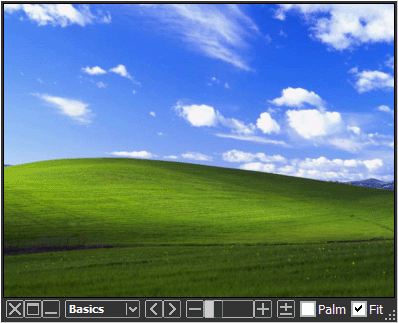
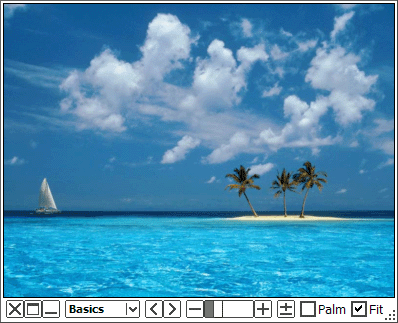
   | 一款简单又灵活的图片浏览器 Moo0图像浏览器 SP是一款代表着Moo0开发者热情的新品图像浏览器。 它的窗口在桌面上占用极小的空间,并且非常灵活地调整其大小。 此外,它现在在其小巧的体积里附带很多有用的滤镜。例如“漫画阅读器”滤镜能够是图像里面的文本更加清晰,“清晰照片”滤镜可以使一些照片看起来更充满活力。 你有时会希望看到适合自己口味的图片吗?或希望保持在桌面上打开多个图片? 如果这样,这个软件可能是你在寻找的。 更进一步,SP版本配有易于使用的编辑/保存功能,包括那些可让您轻松地保存你需要的尺寸/颜色/形状,很容易截取指定窗口的截图,一次转换多个照片的图片风格,等等。 请立即尝试此软件! 这个软件可能是你在寻找的。 提示:[双击] - 最大化/还原窗口 [中键点击] - 关闭窗口 [左/右箭头键] - 转到上一个/下一个图像 [DEL键] - 删除当前图像文件
请在适合模式中使用[中键滚动]和[上/下箭头键]。
窗口将会同图片灵活地一起放大缩小。
俄语 (修订) 支持由 Nikitich 提供。非常感谢! 更新 (2019/05/27): - Quick bug fix on the previous version, in which the file dialog was crashing when changing the extension type. 更新 (2019/05/26): - Officially supported Windows 8.1 and 10, finally. - Started to include the 64-bit version of the program inside the same installer. - Some bug fixes on Png image read and write. - Some bug fixes on the installer. - Supported 6 more languages for the installer. (Spanish, Portuguese, Brazilian Portuguese, Polish, Indonesian, Vietnamese) | ||||||
| 页面标题: | |||||||
| 页面URL: | |||||||
| HTML 标签: | |||||||
| 语言: | 阿拉伯语, 白俄罗斯语, 中文(简体), 荷兰语, 英语, 法语, 德语, 希腊语, 匈牙利语, 印度尼西亚语, 意大利语, 日语, 韩语, 波兰语, 俄语, 西班牙语, 土耳其语, Ukrainian - [ 译者 (30) ] | ||||||
| 操作系统: | Windows XP/2003/Vista/7/8.1/10 | 易于使用: | 简单 | ||||
| 版本: | 1.83 | ||||||
| 最近更新于: | 2019/07/09 [ 更新历史 (29) ] | ||||||
| PAD文件: | [ 如果你正在运行软件列表网站!…… ] | ||||||
| 下载: |
| ||||||
| 大小: | 4.47 MB | ||||||
| 许可证: | 免费试用
(三十天免费试用)
| ||||||
| 反馈: | |||||||
| 常见问题: | ■ (Symptom) The program suddenly doesn't start up one day? stopped working properly? on Windows 10/8.1? This probably happens when "Windows SmartScreen" hinders our program from working. In this case, please try the following before the installation. 1. Before the installation, right-click on the installer file and open the file "Property". 2. At the bottom of "General" tab, if you see "Security: This file came from another computer...", select "Unblock" check box, and "Apply" and "OK". 3. If you install the program after it, it may be able to prevent many problems caused by "Windows SmartScreen" or some other security products. Or, you can actually turn off this problematic feature of Windows itself: (only if you feel too troublesome to do this every single time.) https://ugetfix.com/ask/how-to-disable-windows-smartscreen/ This happens to every software vendor who doesn't or can't donate $300 to Microsoft every single year (EV signature purchase), and especially when the program file is still new. This kind of problems started to get reported since the early of 2019. | ||||||
| 评论: |
Japanese) Moo0 画像閲覧器 SP 1.59 - 画像を好みのスタイルに編集して閲覧できる“新感覚”の画像ビューア (Vector) - Apr 2nd 2009 | ||||||
| 一款简单又灵活的图片浏览器 Moo0图像浏览器是一款非常简单而灵活的图像浏览器。
它的窗口在桌面上占用极小的空间,并且非常灵活地调整其大小。
此外,它现在在其小巧的体积里附带很多有用的滤镜。例如“漫画阅读器”滤镜能够是图像里面的文本更加清晰,“清晰照片”滤镜可以使一些照片看起来更充满活力。
你有时会希望看到适合自己口味的图片吗?或希望保持在桌面上打开多个图片?
如果这样,这个软件可能是你在寻找的。
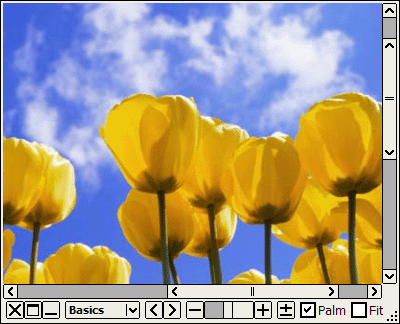
请在适合模式中使用[中键滚动]和[上/下箭头键]。
窗口将会同图片灵活地一起放大缩小。
此外,当你浏览漫画/文本图片的时候,请打开“漫画阅读器”滤镜,并且锁定在这些图像。
俄语 (修订) 支持由 Nikitich 提供。非常感谢! 更新 (2019/05/27): - Quick bug fix on the previous version, in which the file dialog was crashing when changing the extension type. 更新 (2019/05/26): - Officially supported Windows 8.1 and 10, finally. - Started to include the 64-bit version of the program inside the same installer. - Some bug fixes on Png image read and write. - Some bug fixes on the installer. - Supported 6 more languages for the installer. (Spanish, Portuguese, Brazilian Portuguese, Polish, Indonesian, Vietnamese) | |||||||||||||
| 页面标题: | ||||||||||||||
| 页面URL: | ||||||||||||||
| HTML 标签: | ||||||||||||||
| 语言: | 阿拉伯语, 白俄罗斯语, 中文(简体), 荷兰语, 英语, 法语, 德语, 希腊语, 匈牙利语, 印度尼西亚语, 意大利语, 日语, 韩语, 波兰语, 俄语, 西班牙语, 土耳其语, Ukrainian - [ 译者 (30) ] | |||||||||||||
| 操作系统: | Windows XP/2003/Vista/7/8.1/10 | 易于使用: | 简单 | |||||||||||
| 版本: | 1.83 | |||||||||||||
| 最近更新于: | 2019/07/09 [ 更新历史 (33) ] | |||||||||||||
| PAD文件: | [ 如果你正在运行软件列表网站!…… ] | |||||||||||||
| 下载: |
| |||||||||||||
| 大小: | 4.47 MB | |||||||||||||
| 许可证: | 免费 (只可用于非商业的使用) 要在工作场所/网络咖啡吧中使用吗?
| |||||||||||||
| 反馈: | ||||||||||||||
| 常见问题: | ■ (Symptom) The program suddenly doesn't start up one day? stopped working properly? on Windows 10/8.1? This probably happens when "Windows SmartScreen" hinders our program from working. In this case, please try the following before the installation. 1. Before the installation, right-click on the installer file and open the file "Property". 2. At the bottom of "General" tab, if you see "Security: This file came from another computer...", select "Unblock" check box, and "Apply" and "OK". 3. If you install the program after it, it may be able to prevent many problems caused by "Windows SmartScreen" or some other security products. Or, you can actually turn off this problematic feature of Windows itself: (only if you feel too troublesome to do this every single time.) https://ugetfix.com/ask/how-to-disable-windows-smartscreen/ This happens to every software vendor who doesn't or can't donate $300 to Microsoft every single year (EV signature purchase), and especially when the program file is still new. This kind of problems started to get reported since the early of 2019. | |||||||||||||